AR Qibla Finder: How Augmented Reality Is Changing the Way Muslims Find the Direction of Prayer
Finding the Qibla — the direction toward the Kaaba in Makkah — has always been a fundamental part of a Muslim's daily prayer routine. For centuries, Muslims relied on the position of the sun, stars, or a simple compass needle. Today, the AR Qibla Finder in Islam365 shows you the exact direction of the Kaaba live on your phone camera, overlaid onto the real world around you. No guesswork. No misreading a needle. Just point your phone, and the Kaaba's direction appears right on your screen.
This guide explains what an AR Qibla Finder is, how it works, why augmented reality is a major leap forward for Muslims who travel or live in unfamiliar places, and how to use the Qibla finder feature inside the Islam365 app.
What Is an AR Qibla Finder?
An AR Qibla Finder is a smartphone feature that uses augmented reality (AR) the same technology behind AR navigation apps and live translation tools to overlay the direction of the Qibla on your phone's live camera feed.
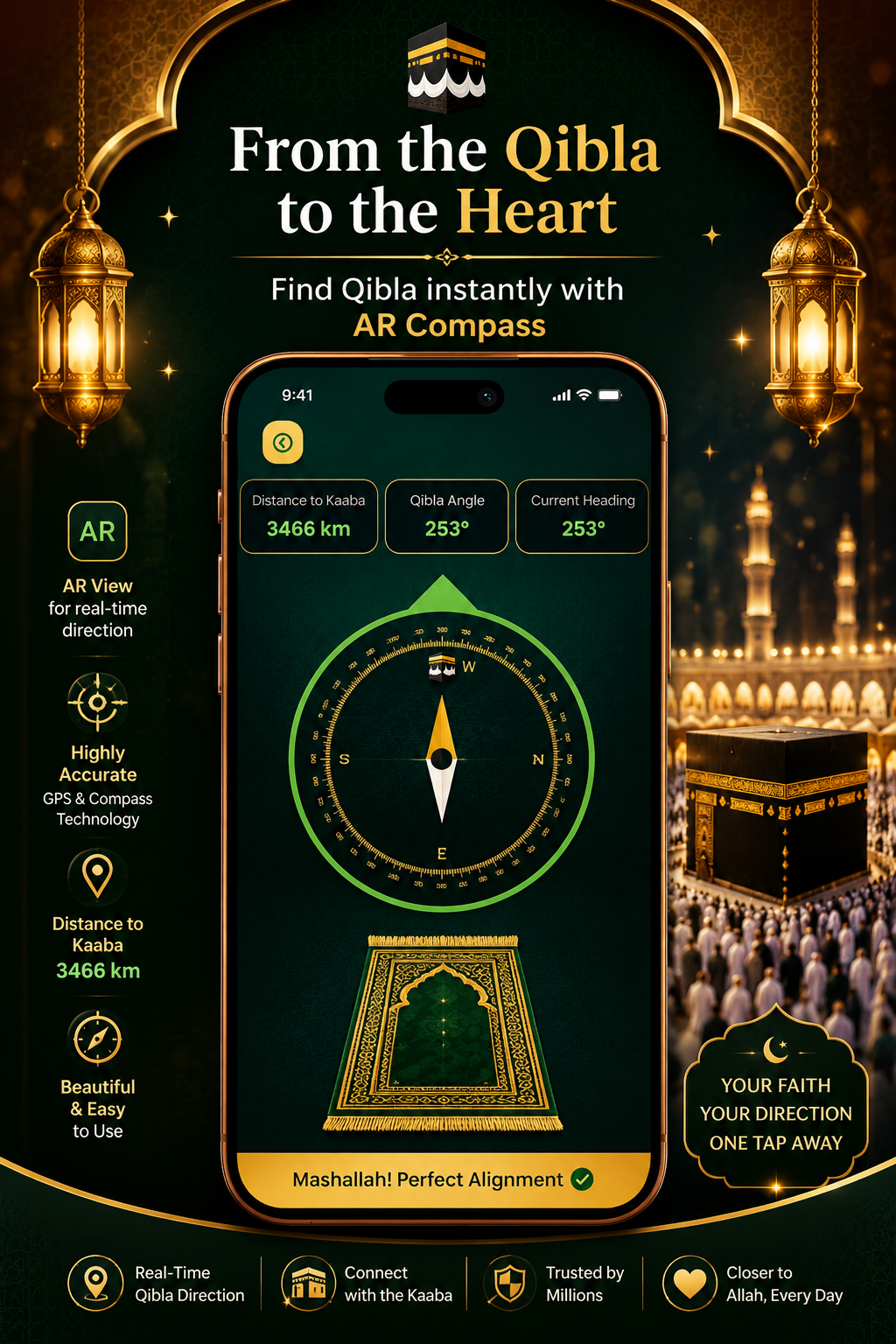
Instead of looking at a static arrow on a compass screen, you hold up your phone and see a live view of your room, street, or hotel room with a clear Qibla compass marker floating in the right direction in real space. The app combines your GPS location with your phone's gyroscope and magnetometer sensors to calculate the bearing from where you stand to the Kaaba in Makkah, then projects it onto what your camera sees.
The result: you never have to mentally translate a compass degree into a physical direction again.
Why Traditional Qibla Compasses Fall Short
Standard Qibla compass apps have served Muslims well, but they come with a real practical problem: compass reading requires interpretation. You see an arrow pointing at, say, 247°. Then you need to physically align your body to that angle. In an unfamiliar room — a hotel room, an airport lounge, a colleague's office this is surprisingly difficult to do accurately.
Common problems with traditional Qibla compass apps include:
- Magnetic interference from electronics, metal furniture, or building materials causing the needle to drift
- Difficulty translating degrees into room orientation, especially when you don't know which direction you're facing to start
- No visual anchor you're aligning yourself to an invisible line in space
- Confusion when traveling, particularly across time zones where the sun's position gives no useful cue
An AR Qibla Finder solves all of these by making the direction visible in your actual surroundings.
How the Islam365 AR Qibla Finder Works
The Islam365 AR Qibla Finder brings together three technologies working simultaneously:
1. GPS Location Detection
The app reads your precise GPS coordinates the moment you open the Qibla direction screen. It doesn't rely on a pre-set city selection — it knows exactly where you are, whether you're in Karachi, London, New York, or Jakarta. Your position is detected automatically, with no manual input needed.
2. Bearing Calculation to Makkah
Using your GPS coordinates, the app calculates the great-circle bearing (the mathematically shortest path across the Earth's surface) from your current position to the Kaaba at 21.4225° N, 39.8262° E. This is the most accurate method recognized by Islamic scholars for Qibla direction determination.
3. Augmented Reality Overlay
Your phone's camera feed becomes a live window. The app reads your phone's orientation in real time using the gyroscope and compass, then overlays a Kaaba marker onto the camera image at precisely the calculated bearing. As you move your phone, the marker moves with the real world not with the screen.
Map View Mode
For users who prefer a bird's-eye perspective, Islam365 also includes a Map View alongside the AR mode. This shows your position on a map with a line drawn toward Makkah — useful for understanding distance and approximate direction at a glance before using AR for precise alignment.
Who Needs an AR Qibla Finder Most
While every Muslim benefits from an accurate Qibla finder, certain situations make the AR mode especially valuable:
Travelers are the clearest case. When you check into a hotel in an unfamiliar city, every room looks the same and your sense of direction resets. Opening Islam365's AR Qibla Finder immediately shows you where to face even before you've unpacked.
Urban Muslims in high-rise buildings face significant compass interference from structural steel, elevator shafts, and dense electronics. AR mode, which cross-references GPS bearing against the visual environment, is more reliable in these conditions than a standalone compass.
New Muslims who have not yet built an intuitive sense of geographic direction toward Makkah find AR mode easier to trust, because the visual confirmation removes ambiguity entirely.
Muslims at Islamic events or conferences in large unfamiliar venues can quickly determine prayer direction without disrupting others to ask.
Step-by-Step: Using the AR Qibla Finder in Islam365
Getting started takes less than 30 seconds:
- Download Islam365 from the Google Play Store or App Store (free, no account required in guest mode)
- Open the app and tap the Qibla section from the home dashboard
- Allow the app to access your camera and location when prompted both are required for AR mode
- The AR view activates immediately: hold your phone up and slowly rotate
- When the on-screen Kaaba marker appears, that direction is the Qibla
- To switch views, tap the Map View icon to see your position and direction on a geographic map
- For prayer, align your prayer mat to match the AR Qibla direction marker
Pro tip: For best accuracy, hold the phone level and move away from large metal objects or appliances before calibrating. If the compass feels off, wave the phone in a figure-8 motion a few times to recalibrate the magnetometer.

The Technology Behind It: Augmented Reality in Islamic Apps
Augmented reality has moved far beyond gaming. Navigation, medical training, retail, and education now use AR as a primary interface. For Islamic applications, AR Qibla is arguably the most natural use case ever developed — there is a clear, fixed, real-world target (the Kaaba), a need for precise directional guidance, and a moment-by-moment use pattern that benefits from visual confirmation.
Islam365 is among the first Islamic lifestyle apps to implement a full AR Qibla experience as a core feature rather than an add-on. The integration sits inside a broader suite that includes an interactive Quran app with audio from world-renowned Qaris, prayer time tracking with smart alerts, daily Duas in a short-form video format, and a dedicated Ramadan 2026 module.
The AR Qibla feature in Islam365 is designed so that it works even for first-time users no calibration screens, no complicated setup. The app detects your GPS position automatically, so it works correctly whether you open it in Lahore, Dubai, London, or Toronto.
Frequently Asked Questions About AR Qibla
What is an AR Qibla Finder?
An AR Qibla Finder is a smartphone feature that uses augmented reality to show the direction toward the Kaaba in Makkah overlaid on your camera's live view. Instead of reading a compass degree, you see the direction displayed directly on the real world around you.
How accurate is the AR Qibla in Islam365?
Islam365's AR Qibla uses GPS coordinates and the great-circle calculation method to determine your bearing to the Kaaba. This is the standard method used by Islamic scholars for Qibla direction determination. Accuracy depends on your phone's GPS signal and compass calibration, but in normal conditions it is accurate to within 1–2 degrees.
Does the AR Qibla work offline?
The initial GPS position reading requires a live location signal, but once the bearing is calculated the AR Qibla overlay functions without an active internet connection. For the most accurate position reading, a GPS signal (not Wi-Fi only) is recommended.
Why does the Qibla direction look different from what I expected?
The Qibla direction follows the great-circle route — the shortest path across the curved surface of the Earth — not a straight line on a flat map. From North America, for example, this means facing northeast rather than east, which surprises many users comparing to a flat map. Islam365 uses the great-circle method, which is the most widely accepted approach among Islamic scholars.
Can I use the AR Qibla if I don't have camera permission granted?
Camera access is required for the AR overlay mode. If camera permission is denied, the app will fall back to the Map View mode, which shows your position and a line toward Makkah without using the camera.
Is Islam365 free to use?
Yes. Islam365 is free to download and use, with an ad-free experience. You can access the AR Qibla and most core features in guest mode without creating an account.
Why the AR Qibla Feature Matters for the Global Muslim Community
There are approximately 1.9 billion Muslims worldwide. A significant portion of this population lives as minorities in countries where Qibla direction is not part of the built environment no mosque minarets to reference, no community consensus on which direction to face in a shared space.
For these Muslims especially, an AR Qibla Finder reduces a moment of uncertainty into a moment of confidence. Prayer is the second pillar of Islam, performed five times daily. A tool that makes every one of those prayers start with accurate directional alignment is not a convenience it is a meaningful contribution to daily worship.
The Islam365 AR Qibla Finder is built for exactly this reality: a modern Muslim, anywhere in the world, who wants to worship with accuracy and peace of mind.
Download Islam365 and Try AR Qibla Today
The Islam365 app is available free on the Google Play Store and Apple App Store. It includes the AR Qibla Finder alongside the full Quran app with audio from Mishari Alafasy, Abdur-Rahman Sudais, and other renowned Qaris; accurate GPS-based prayer times with persistent alerts; daily Duas in a short-form video format; and the complete Ramadan 2026 module with Imsak and Iftar alerts.
👉 Download Islam365 on Google Play